Shopify’s own help still pushes a 2048×2048 master. Themes then crop that master into cards, PDP zoom, and sometimes a 1:1 vs 4:5 mess. If you only export 800×800 “because it looks fine on your laptop”, zoom on a 27-inch monitor shows the mush.
This is not a theme-development guide. It is the file you should hand the theme.
Why 2048 and not 2000
Amazon’s square is 2000. Shopify’s documented recommendation is 2048. The difference is small. The operational mistake is keeping two slightly different masters and forgetting which folder is which.
Practical rule:
- If you sell only Shopify (or Shopify + a theme that letterboxes), export 2048×2048.
- If you sell Amazon + Shopify, keep 2048 as the Shopify master and let PixelBatch’s Amazon template emit 2000 from the same import. Do not stretch 2000 to 2048 with a different crop six months later.
File weight: a 2048 JPEG at quality ~85 is enough. PNG is for transparency (cutouts you composite on a theme background). WebP is fine if your stack accepts it; some older apps still want JPEG.
Themes crop. Your product must survive the crop.
Collection grids often show a center square. A tall bottle shot as 2048×2048 with huge white headroom looks like a pea. Use contain or fit with padding so the bottle is large, or use fill only when you accept a crop of the cap or base.
Lifestyle shots for secondary images should not go through a “white 2048 product” template. You will bleach the scene. Use a custom template or export original aspect.
Variant images
Each color variant needs its own file. Batch tools that rename sku_color.jpg save you from “blue listed with the red photo”. PixelBatch can pull a SKU token from the filename if you set the extract rule — test on ten files before you run 2,000.
A local export
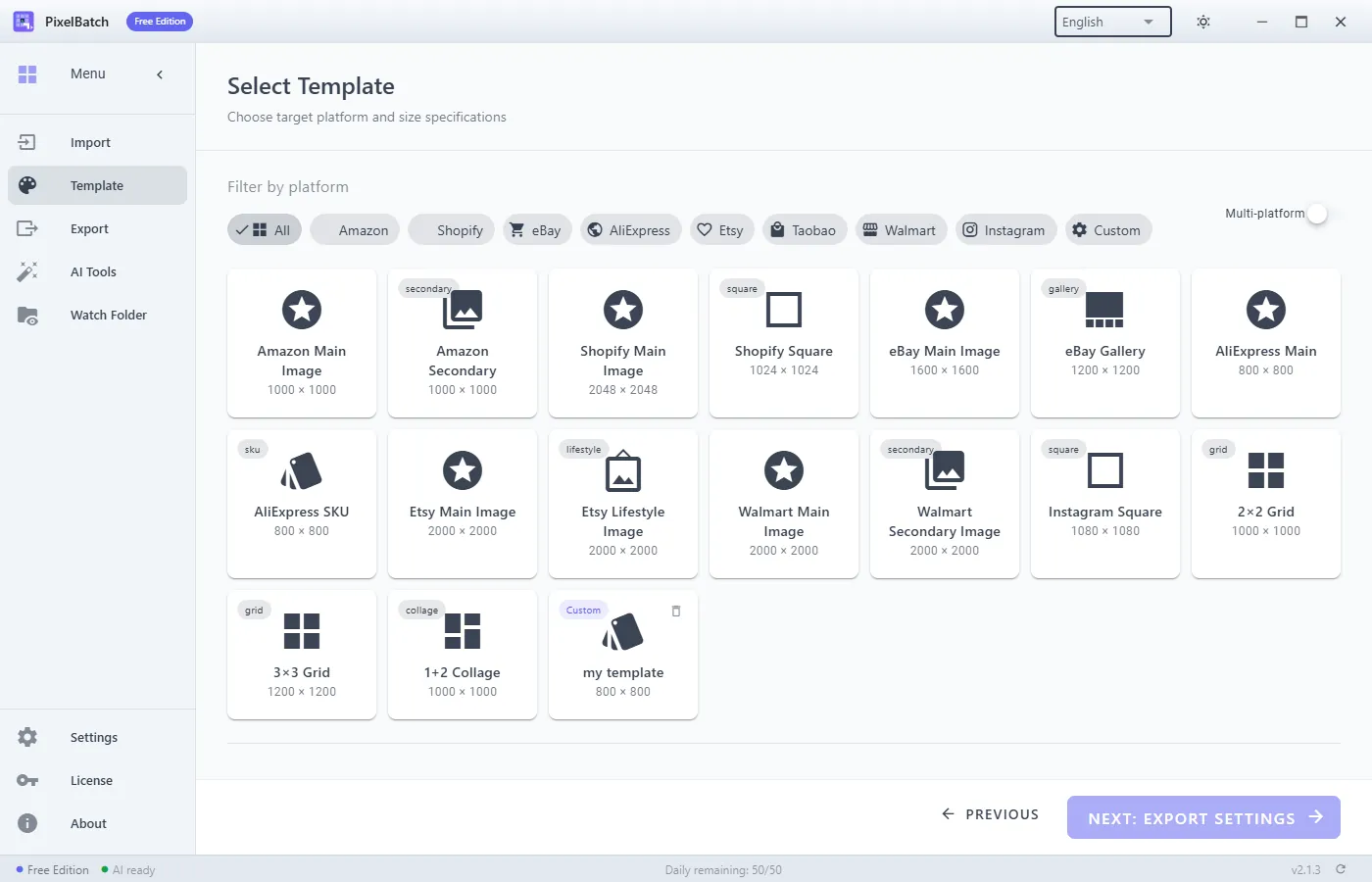
- Import the folder in PixelBatch.
- Select the Shopify template (2048×2048).
- Background: white for catalog-style products; transparent PNG if the theme supplies the plate.
- Scale fit/contain; preview one dark SKU and one white SKU.
- Export to a folder named
shopify-2048, notfinal(that name always lies).
Free tier: 50 images/day. Enough to test a collection. Pro for the catalog and Watch Folder when photography lands every afternoon.
What Shopify will still reject or look bad
- Text-heavy infographics as the first image (legal/claims issues aside, they look like ads).
- Different lighting per variant so “navy” and “black” are indistinguishable.
- A 2048 file that is actually a 600 px image upscaled. Zoom tells on you.
Apps vs desktop
Shopify apps that “optimize images” compress after upload. They do not replace a correct master. Do the size and cutout on the PC, then let an optimizer shave bytes if you must.
See templates and Watch Folder if a studio drops a new folder every day.