Amazon still wants the first product image to look like a catalog shot, not a lifestyle ad. The number people search is “2000×2000”. That number is real, but it is not the only gate. This page is the size and background part only. It is not legal advice and not an Amazon policy reprint. Always re-check Seller Central for your category.
What “2000×2000” actually means
For most standard categories, Amazon asks for a square main image on a pure white background (#FFFFFF). 2000 pixels on the long side is the size that stays sharp in zoom. Files below about 1000 px look soft on desktop zoom and are more likely to be kicked or ignored.
A 2000×2000 JPEG at quality 80–90 is usually 200–800 KB depending on the product. You do not need a 15 MB TIFF. You do need the product to fill most of the frame. A tiny bottle in the middle of a white ocean still “is 2000×2000” and still looks cheap.
What the main image is not allowed to do
These fail even when the pixels are correct:
- Text, badges, “sale”, arrows, or a logo on the main
- Multiple products in one frame (unless the ASIN is a set and Amazon’s category allows it)
- Props, hands, and lifestyle for image 1 (later slots can be lifestyle)
- Borders, colored backgrounds, or off-white that photographs as gray
- Watermarks and studio names
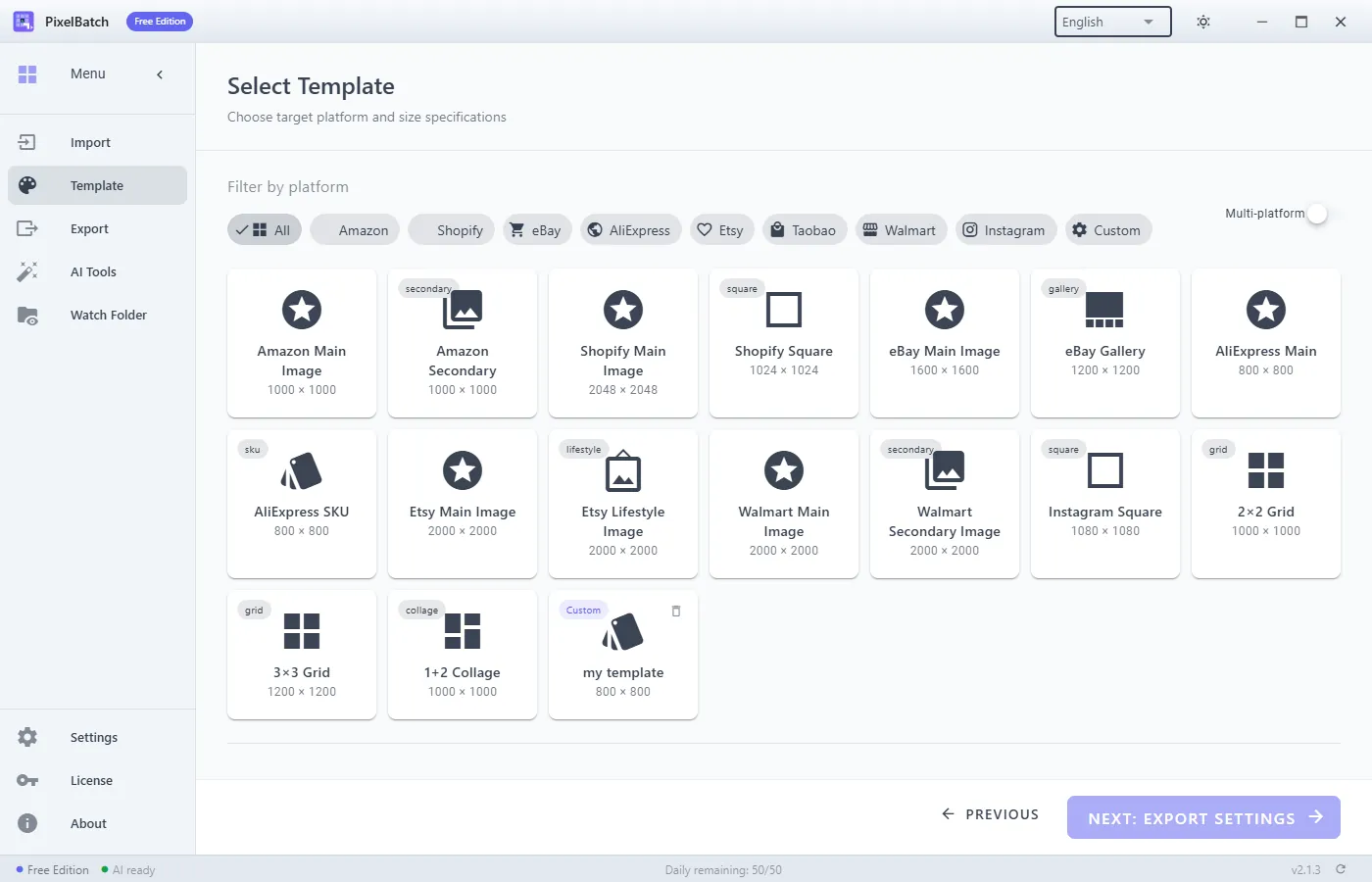
PixelBatch can stamp a badge in the template editor. Do not use that on Amazon image 1. Use a clean export. Badges belong on ads or on-site graphics, not the main.
Two honest ways to get to 2000×2000
1. Shoot it that large. A phone on a white foam board, even light, product filling 80%+ of the frame, then a small crop. This beats upscaling a 600 px marketplace download.
2. Upscale, then fit to a 2000 canvas. PixelBatch’s Enhance Quality step (Real-ESRGAN) can help a slightly soft 1200 px studio shot. It cannot invent a missing label or recover a JPEG that was saved ten times. If the source is 400 px, you will get a 2000 px mush. Amazon zoom will show it.
Do not stretch a 3:4 garment photo into a square with “stretch” mode. Use fit or contain on a white canvas so the dress stays proportional and the sides are white, not warped fabric.
White is a color, not “whatever the wall was”
Phone auto-white-balance turns a white backdrop into cream or blue. Amazon’s “white” is closer to #FFFFFF than to a bedroom wall. If you already have a cutout, place it on a true white canvas. If you still have a gray paper sweep, either relight or run background removal and drop the subject on #FFFFFF.
Background removal fails on:
- Clear bottles and liquid
- White-on-white packaging
- Hair, tulle, fringes
Those SKUs need a manual path (or a better photo), not another click.
A local batch that matches the rule
If you already have a folder of cutouts or clean shots:
- Import the folder in PixelBatch.
- Choose the Amazon 2000×2000 template (white background).
- Scale fit or contain, center, padding so the item is not glued to the edge.
- Export JPEG. Do not enable badge or watermark.
- Spot-check 10 files at 100% zoom before you upload a thousand.
Free PixelBatch processes 50 images per day. That is enough to test a catalog slice. Pro is for the rest of the folder and for Watch Folder if a photographer drops new SKUs all day.
Nothing in that path uploads the folder to a website. The optional AI pack is a one-time ~450 MB download; after that, cutouts stay on the PC.
Secondary images are a different job
Images 2–7 (or more) can be infographics, scale, and lifestyle. Do not run the same “main image” template on those or you will bleach a lifestyle shot. Use a custom canvas or a different template tab. PixelBatch lets you multi-select platforms; it does not mean every file in the folder should get the Amazon main recipe.
When this page is the wrong tool
- You need A+ / Brand Story modules — that is Seller Central, not a resizer.
- You sell in a category with extra image rules (jewelry, apparel variations). Read that category.
- You need RAW development. Convert to JPEG/PNG first.