A watch folder is a boring feature until you have a photographer, a phone, or a warehouse PC dropping JPEGs all day. Then the import wizard is the bottleneck. You want: new file appears → template + optional AI → files land in out\amazon-2000.
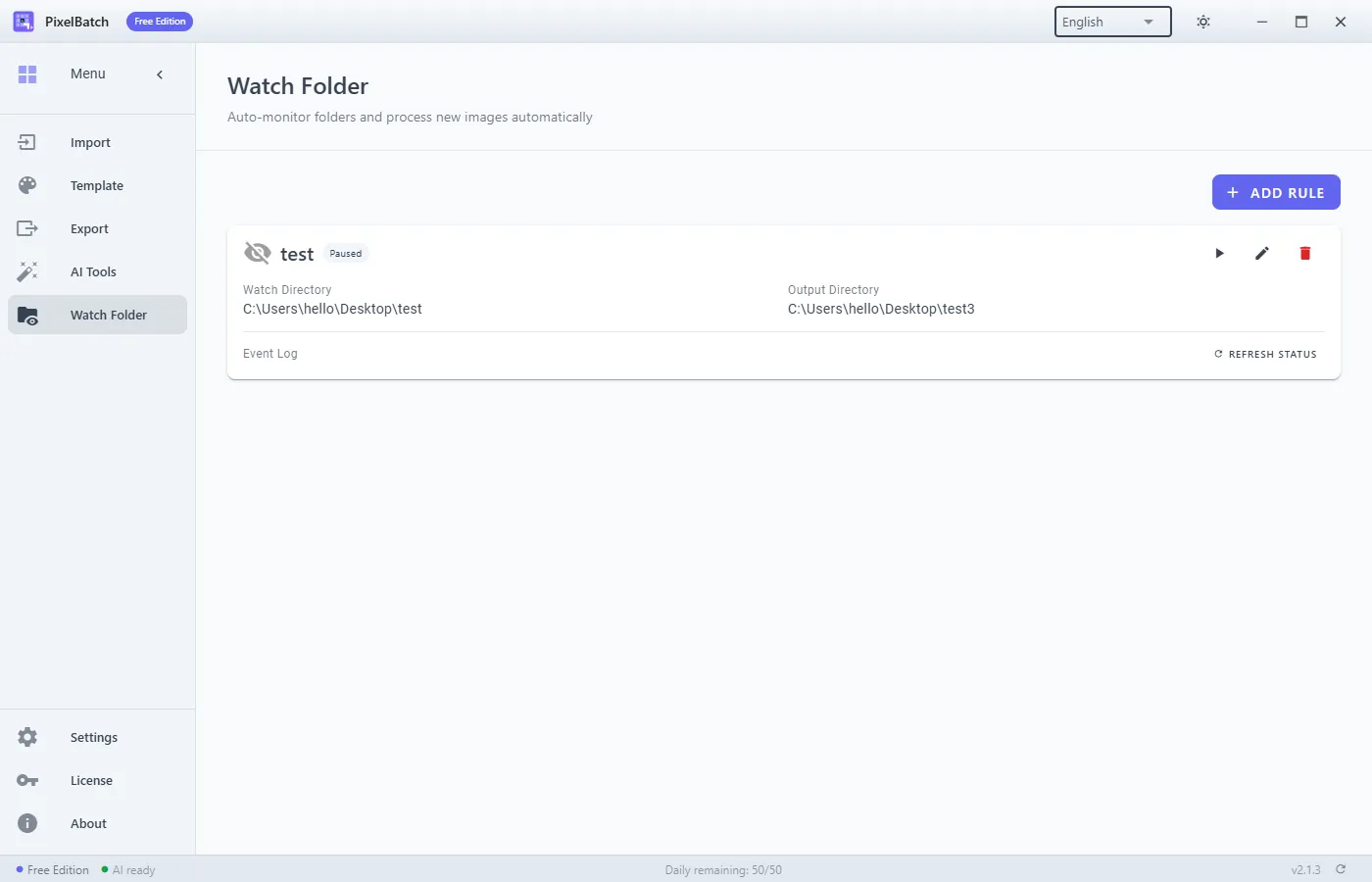
PixelBatch’s Watch Folder does that. It is Pro only. Free can open the screen; rules do not run.
When a watcher pays for itself
Worth it if:
- The same recipe applies to every new file (one marketplace, one canvas).
- Someone else produces the photos.
- You already trust the template on a 50-file manual batch.
Not worth it if:
- Every SKU needs a different crop or a human erase.
- The input folder is a shared Dump that also gets screenshots, WhatsApp images, and RAW.
- The PC sleeps. A watcher on a laptop that closes is a placebo.
Layout that does not eat itself
Never set output inside input.
D:\incoming\shoot-2026-08-24\
D:\export\amazon-2000\
If export writes into incoming, the watcher will see the new JPEG and process it again (or fight a file lock). Cloud-sync folders (OneDrive “Files On-Demand”) create temp names and conflict copies. Use a local disk for incoming.
PixelBatch setup
- Run a manual Import → Template → Export on yesterday’s shoot. Fix padding and AI there.
- License must be Pro. License notes.
- Watch Folder → Add Rule: incoming path, outgoing path, that same template.
- Enable AI only if the AI pack is installed and you accept CPU time on every drop.
- Enable the rule. Drop one test file. Confirm the log says success and the output exists.
- Then drop the rest.
Treat files already in the folder before enable as a backlog: run them once through Import. Do not assume the watcher backfills history.
Quota and failures
On a Free key, a rule logs that the daily quota is exhausted. On Pro, volume is uncapped; failures are file-level (corrupt JPEG, disk full, model not loaded). The event log is the source of truth, not Explorer’s “date modified”.
If AI is on and the engine is not downloaded, every event fails. Download from AI Tools first.
What a watcher will not do
- Pick Amazon vs Shopify per filename unless you built two rules and two incoming folders.
- Upload to Seller Central.
- Run while PixelBatch is quit.
Compared with “just a Photoshop droplet”
A droplet still needs Photoshop and a human to not overwrite sources. PixelBatch’s watcher is narrower: one template, local AI optional, no Creative Cloud. If you already live in Photoshop actions, stay there. If you want marketplace canvases without a $60/month seat, this is the path.
Product page: PixelBatch. Manual: Watch Folder.