Coin Flip Simulator
Toss one coin in game mode — click the table or press Space and watch it jump, spin, and bounce. Or type a flip count, click Flip, and read Flips, Heads, Tails, and Sum. For 40 or fewer flips the result also lists a Sequence of H and T outcomes.
Heads: 0Tails: 0Last: Press Space to toss
Coin
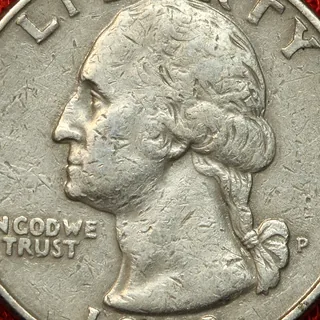
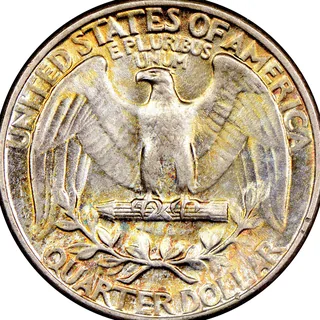

Space or click the table · US Quarter
Batch flips
Click Flip.
About this tool
Each flip takes one random byte from crypto.getRandomValues; even values count as heads and odd as tails. Sum always equals the flip count so you can spot a counting bug instantly. Flips must be from 1 to 100000.
How to use
- Toss in game mode: Click the green table, press Flip, or press Space. The coin jumps, lands with a bounce, then shows Heads or Tails.
- Open the batch counter: Use the Number of flips field and the batch Flip button.
- Enter flip count: Type a positive integer such as 10 (maximum 100000).
- Run the flips: Click Flip to draw random outcomes with crypto.getRandomValues.
- Read the stats: Check Heads, Tails, and Sum in the result; use Sequence when shown.
Common use cases
- Run a classroom demo of fair-coin frequency over dozens of trials.
- Decide a binary choice with a recorded sequence instead of a single mental flip.
- Stress-test a probability lesson by flipping 1000 times and checking Sum.
- Generate a short H/T pattern for a board game house rule.
Tips
- Press Space (or tap the table) for a single toss; use the fullscreen control to play on the whole screen.
- Keep flips ≤ 40 if you want the Sequence line; larger runs show counts only.
- Values above 100000 are rejected so the page stays responsive.
FAQ
How is each flip decided?
A random byte is drawn; even → Heads, odd → Tails.
Why is Sum shown?
Sum is Heads + Tails and must equal Flips—useful for verifying the run.
When do I see Sequence?
Only when flips are 40 or fewer, as a space-separated H/T list.
What if I enter 0 or a huge number?
0 fails validation; above 100000 returns Flips cannot exceed 100000.