PixelBatch
Templates and export
Canvas sizes, scale modes, backgrounds, names, and output formats.
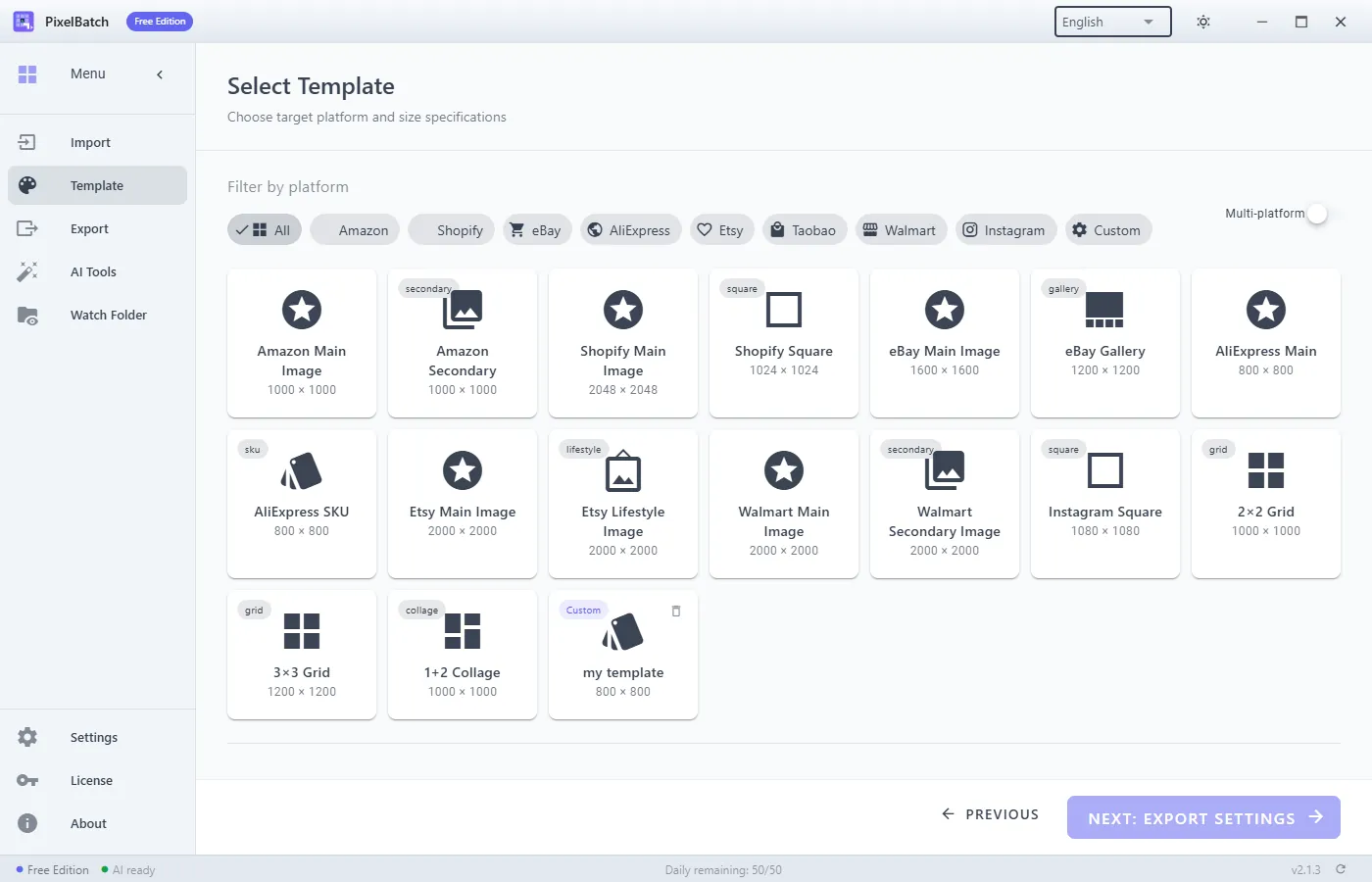
Built-in platforms
Templates are pixel recipes, not official brand kits.
| Market | Typical main image |
|---|---|
| Amazon | 2000×2000, background #FFFFFF |
| Shopify | 2048×2048 |
| eBay | 1600×1600 recommended; 500×500 is the old floor |
| AliExpress | 800×800 JPEG |
| 1080×1080, 1080×1350, 1080×566 | |
| Taobao | 800×800 main; detail about 750 wide |
| Tmall | 800×800, white preferred |
| Pinduoduo | 750×750, white |
| JD | 800×800, white |
| Douyin shop | 800×800; cover 1280×720 |
| WeChat mini program | 750×422 cover; 800×800 product |
You can multi-select platforms and edit each tab. Save a custom template when a shop uses a non-standard canvas.
Scale and align
- Original — no resize.
- Fit — full subject, possible letterbox.
- Fill — cover the canvas, crop edges.
- Contain — like fit, subject about 85% of the canvas.
- Stretch — ignores aspect ratio. Avoid for products.
Alignment defaults to center. Use top/bottom when a tall garment or bottle should sit on a baseline.
Padding is inset from the canvas edge. Forty pixels on a 2000 square is a common “not glued to the rim” setup.
Background
- Solid —
#FFFFFFfor Amazon-style mains. - Gradient — linear or radial, two stops, angle.
- Transparent — PNG only. JPEG fills transparency with white.
Rounded corners also switch the export to PNG so the cut corners stay transparent.
Color and chrome
Brightness, contrast, saturation, sharpness each run about −100 to +100. Stay inside ±50 unless you are correcting a known dark file. Border is drawn inside the canvas. Badge text is ASCII; CJK becomes ?.
Watermark can be text or an image, with position and opacity. That is a brand stamp, not the AI watermark remover.
Export
Set an output folder that is not the watch-input folder if you use Watch Folder later.
Formats: JPEG, PNG, WebP, or keep original. Quality slider applies to lossy formats.
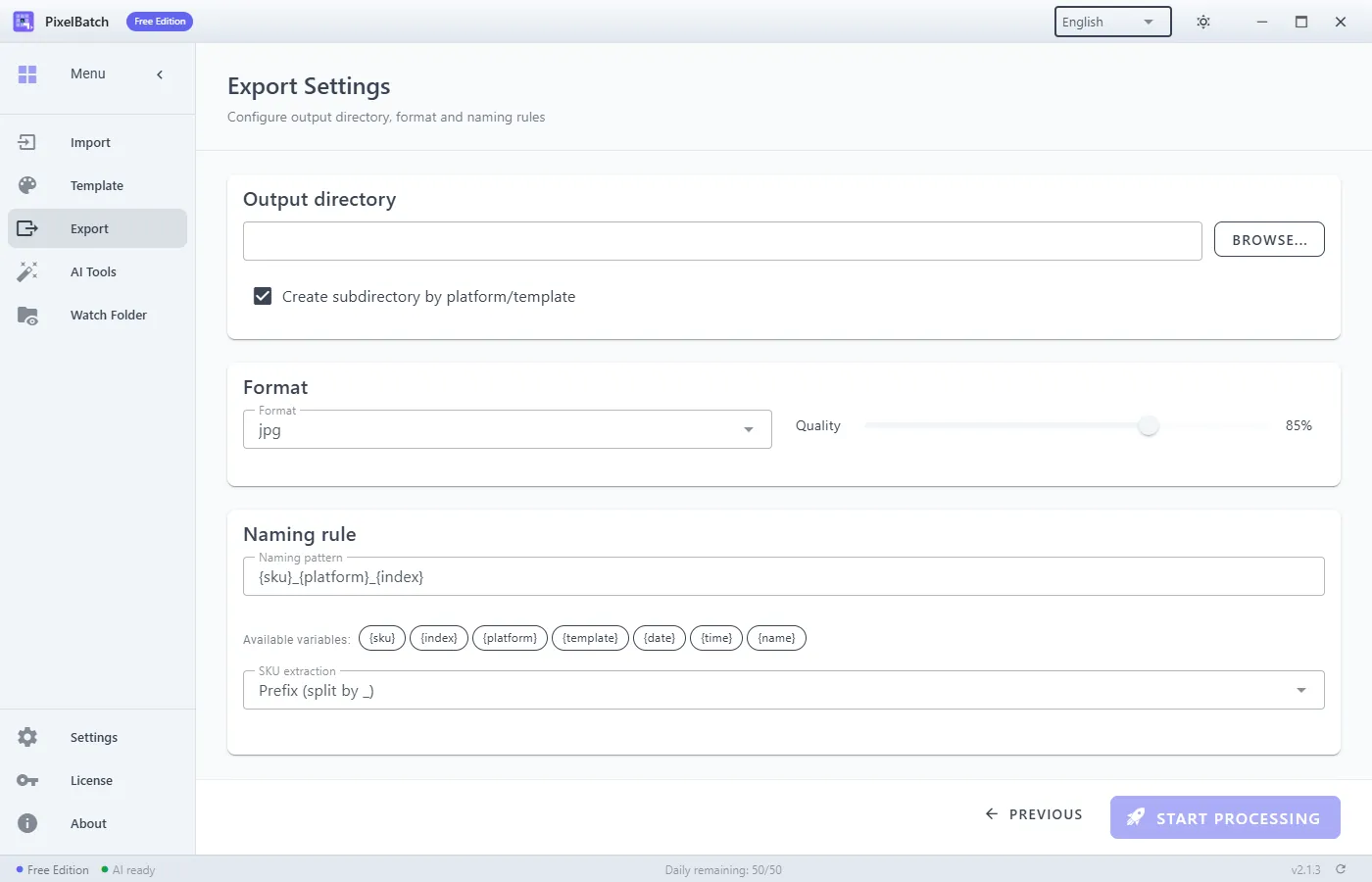
Naming supports variables (original name, SKU extract, platform, date). All files land in one directory; nested source trees are flattened.
Queue
Start the job from the process step. You can cancel. Failures (read error, disk full, AI not ready) stay listed. Export a diagnostic report if you need support: version, counts, timings, failed paths.
Free quota is checked against the whole job. If 80 files remain in the folder and you have 20 quota left, the job will not silently chew 20 and strand the rest without a message — the UI reports remaining vs needed.